A website move can change how customers and search engines reach your pages, even when the new design looks and works as expected. Old links might stop working, useful content may be removed, or settings left over from staging could prevent important pages from appearing in search.
The right checks depend on what is changing. Moving to a new host while keeping the same URLs is different from changing a domain, platform, or page structure. This checklist explains what to prepare before launch, how to test the live website, and what to monitor once the move is complete.
Quick answer
The SEO checks depend on the type of website migration. Changing hosting without changing public page URLs generally does not require page-to-page redirects. Changing a domain or URL structure usually requires permanent redirects from old addresses to their closest relevant replacements.
Before launch, record existing URLs and search performance, prepare redirects where needed, and test the replacement website privately. On launch day, confirm that redirects work, important pages can be crawled and indexed, and customer journeys still function.
After launch, monitor broken links, indexing, search traffic, and enquiries. Search performance can fluctuate while search engines process changed URLs, but significant losses or blocked pages should be investigated promptly.
What counts as a website migration?
Website migration can mean moving to a different host, changing platforms, redesigning a site, or moving to a new domain. Some changes keep the same public page addresses, while others replace them. This distinction matters because it affects whether redirects are needed and which search checks should take priority. The table below compares four common types of migration and the main SEO considerations for each.
| Type of change | What changes | Main SEO consideration |
|---|---|---|
| Hosting move | The website moves to another server, but public URLs stay the same | Availability, crawl access, performance, and technical settings. Page-to-page redirects are not normally needed if the URLs remain unchanged |
| Website redesign | Design, navigation, templates, or content changes | Preserving useful content, headings, internal links, and important pages. Redirects are needed for URLs that change |
| Platform move | For example, moving from one content management system to another | URL structure, metadata, content, product or service pages, structured data, and technical behaviour |
| Domain or URL change | A new domain, a revised path structure, or both | A complete old-to-new URL map, permanent redirects, updated internal links, and search-engine notifications where applicable |
Some projects combine several changes. A platform move that also changes the design, domain, and URL structure needs a more detailed plan than a hosting switch that leaves URLs untouched. If you are deciding whether to rebuild your existing website, our guide to web design or website redesign explains the options.
Before launch: prepare the migration
Before changing the live website, document what must stay, what will change, and how each part will be tested. The following seven checks cover the records, decisions, and recovery arrangements you should have in place before launch.
Confirm exactly what is changing
Write down whether the project changes the domain, URL paths, hosting, platform, navigation, content, or design. Identify the pages and functions that must continue working, including enquiry forms, booking routes, product pages, checkout, and customer account areas where relevant. Avoid combining unrelated major changes unless they are necessary for the move.
Record the current search and business position
Before making changes, save a record of how the current website performs. Where access and data are available, use Google Search Console and Bing Webmaster Tools to identify pages and queries receiving impressions and clicks. Record important landing pages, enquiries, bookings, sales, indexed URLs, and known technical problems. If historical data are unavailable, note that limitation rather than treating missing figures as zero.
Use comparable date ranges when you review results later. A seasonal decline or a change in demand can affect search performance independently of a migration. Our guide to how long SEO takes explains why search changes need to be assessed over time.
Build an inventory of existing URLs
Do not rely only on the current navigation menu. Use a crawl of the existing website, XML sitemaps, Search Console data, analytics landing pages, existing redirect records, and known external links to identify important addresses. Include relevant images, PDFs, old campaign pages, and valuable URLs that may no longer appear in the menu.
Note each URL’s purpose and whether it should remain, move, merge with another page, or be removed. This inventory becomes the basis of the redirect plan and the post-launch tests.
Map every changed URL to the best destination
Decide what should happen to every old URL in the inventory. Where a page has a relevant replacement, map it to that destination and use a permanent server-side redirect, commonly a 301 or 308. If content has been permanently removed without a suitable replacement, the old address should return an appropriate 404 or 410 response.
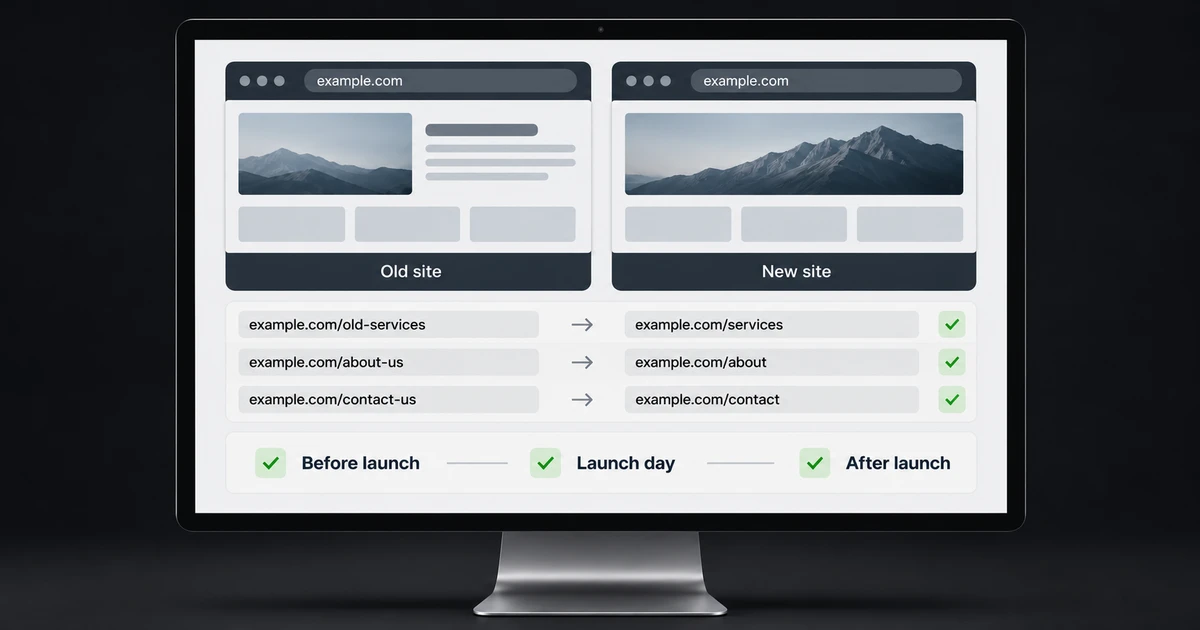
Avoid redirecting unrelated pages to the homepage. This creates a poor experience for visitors and may be treated as a soft 404 by search engines. The following examples show how different decisions can be recorded in a URL mapping plan.
| Old address | New destination | Decision |
|---|---|---|
| /services/web-design-old/ | /web-design/ | 301 or 308 redirect to the matching service |
| /advice/website-costs/ | /blog/website-costs/ | 301 or 308 redirect to the relocated article |
| /expired-event-2023/ | No relevant replacement | Return a genuine 404 or 410 when removal is intentional |
These are illustrative paths, not pages on our website. Test the final response of each redirect, because a configured rule is not proof that it reaches the intended page.
Protect useful content and page information
Keep a copy of the existing pages, titles, descriptions, headings, internal links, structured data, and important image information. Preserve content that already answers customers’ questions unless there is a clear reason to improve it. A redesign should not silently remove useful explanations, service details, FAQs, or pages that attract relevant visits.
If the website has wider indexing or content problems, a focused SEO audit before launch can help separate existing issues from problems introduced by the migration.
Test the new website privately
Keep the staging website out of public search while it is being built. Password protection or access restrictions are generally safer for genuinely private staging content than relying on a robots.txt block alone. Test the staging copy with authorised access, checking page content, navigation, mobile layouts, form submissions, structured data, canonical tags, and internal links.
Document any staging-specific noindex rules, authentication, or firewall restrictions that must be removed or changed when the public site goes live. Do not remove protections from staging itself simply to run a public crawler.
Agree the launch and recovery plan
Agree who will manage hosting or DNS changes, redirects, security certificates, backups, website content, testing, and urgent fixes. Establish which checks must pass before launch and who has authority to postpone the move if a significant problem remains.
Choose a launch time when the responsible people are available to respond. Keep a recent recoverable backup and a documented recovery process, including how to restore the previous version if a serious problem occurs.
Launch day: check the live website
Once the new site is public, verify its actual behaviour from outside the staging environment. A successful deployment message is only the start of the launch checks.
Test old URLs and permanent redirects
Test a representative selection of old URLs against the redirect plan, starting with important service pages, popular articles, images, and any product or collection pages. Where relevant, include HTTP and HTTPS addresses and versions with and without www.
Check the HTTP response codes as well as what appears in a browser. Permanent redirects should reach the intended live destination without loops or unnecessary chains, and that destination should normally return a 200 response. For larger websites, use an automated check of the full URL map alongside manual testing.
Check search-engine and AI-search access
Check the public robots.txt file, indexability directives, HTTP responses, and any password, CAPTCHA, firewall, or bot-protection settings. Important public pages should not retain staging noindex instructions. Make sure Googlebot and Bingbot can reach pages intended for search, and check that the website’s chosen AI-search access policy is functioning as intended.
For visibility in ChatGPT search, check the robots.txt rules for OAI-SearchBot and whether hosting or security tools block its requests. OAI-SearchBot is for search discovery and is separate from GPTBot, which is associated with model training. Allowing one does not require allowing the other.
Check internal links, canonical URLs, and sitemaps
Update internal links to point directly to the current live URLs instead of relying on redirects. Check that canonical tags identify the correct public pages and that the XML sitemap lists current, indexable URLs rather than redirects or staging addresses. Confirm that titles, descriptions, structured data, and relevant Open Graph information were preserved. Review hreflang connections if the website serves different languages or regions.
Submit or refresh the XML sitemap in Google Search Console and Bing Webmaster Tools where access is available. Google’s Change of Address tool is relevant to qualifying domain moves, not ordinary hosting changes or every redesign. It complements redirects and other migration work; it does not replace them.
Test the journeys that bring in enquiries or sales
Test the website on a phone and a larger screen. Follow the routes customers use to enquire, call, book, or buy, including forms and checkout where relevant. Check that HTTPS works correctly and look for browser security warnings.
Confirm that analytics, conversion tracking, and consent controls work as intended. A website may remain accessible to search engines while losing enquiries or sales because an important customer journey has stopped working.
After launch: monitor and correct issues
Search engines need time to revisit old and new addresses. Monitoring helps distinguish expected processing from errors that require attention. Keep the original baseline and URL map available throughout this stage.
Crawl the old and new URLs again
After the initial launch checks, test the full saved list of old URLs against the agreed migration plan. Confirm that moved pages reach their intended destinations and that deliberately removed pages return the appropriate 404 or 410 response.
Crawl the new website to identify broken internal links, unexpected errors, incorrect canonical tags, and important pages that cannot be reached through navigation. Compare key content and metadata with the records made before launch.
Review indexing, search performance, and customer activity
Where access and data are available, use Google Search Console and Bing Webmaster Tools to monitor indexed pages, crawling errors, sitemap status, and the queries and pages receiving search impressions and clicks. If the domain has changed, review both the old and new website properties while search engines process the move.
Compare analytics, enquiries, bookings, and sales with the pre-launch records, paying particular attention to important landing pages rather than relying only on site-wide totals. Check for significant problems soon after launch and continue reviewing performance at regular intervals over the following weeks.
If visits fall, investigate the affected pages, redirects, crawl access, content differences, and measurement setup before assuming that rankings need time to settle. Algorithm changes, competition, search behaviour, and seasonality can also affect results. The length of a migration’s transition varies with the size and complexity of the website.
Maintain redirects and update important references
Keep permanent redirects in place for as long as practical. Google advises retaining them for at least one year after a move involving changed URLs. Continue updating important links you control, such as business profiles, prominent external listings, and internal references, so they point directly to the new addresses.
Common website migration mistakes
A migration can appear complete even when important pages, redirects, or customer journeys are not working correctly. The table below outlines five common mistakes, why they matter, and what to check before signing off the move.
| Mistake | Why it matters | What to check |
|---|---|---|
| Redirecting unrelated old pages to the homepage | Visitors lose the information they expected, and search engines may not treat the destination as equivalent | A relevant destination for each moved page, or an appropriate 404 or 410 response when no replacement exists |
| Leaving noindex or access blocks on live pages | Important content may be unavailable for indexing or crawling | Live robots.txt, page directives, authentication, and firewall rules |
| Replacing useful content without review | Pages may stop answering the searches that previously brought visitors | Pre-launch content and landing-page comparisons |
| Keeping old URLs in internal links or sitemaps | Visitors and crawlers take unnecessary routes or reach outdated addresses | Fresh crawl, canonical tags, internal links, and XML sitemap |
| Checking only the homepage after launch | Service pages, products, forms, and checkout may fail unnoticed | Priority-page sample and full customer journey tests |
When is an SEO review worthwhile?
An SEO review is especially useful when a migration changes the domain, platform, or important page URLs, particularly if the existing website attracts enquiries, bookings, or sales. A straightforward hosting move with unchanged URLs may need only a focused technical check. The level of review should reflect the risks involved.
Depending on the work agreed, an SEO review can identify pages worth protecting, assess redirect planning, and check crawling, indexing, or tracking issues before and after a move.
We offer one-off SEO audits, technical reviews, and defined improvement projects without requiring an ongoing monthly SEO agreement. Larger programmes and substantial additional work are quoted separately.
Common questions about website migrations
Do I need to keep my old domain after moving to a new one?
Usually, yes. Keeping ownership of the old domain allows its URLs to continue redirecting visitors and search engines to the new website. You may not need the previous hosting account if another service handles those redirects, but the old domain and its HTTPS connections must continue working. Test the redirects before cancelling any hosting service.
Is it safer to migrate a large website in sections?
Sometimes. Moving sections in stages can make testing and troubleshooting more manageable, but it also creates a longer period in which old and new systems must work together. The right approach depends on the platform, URL structure, technical dependencies, and available support. Agree the sequence and redirect arrangements before launch.
Website migration and SEO
Plan the move before launch
If you’re planning a redesign, platform change, or domain move, we can review your existing website and identify the pages, redirects, and search settings that need attention. We’ll explain whether a focused SEO review or a wider project is appropriate and what the work would involve before you decide.
Sources and further guidance
Google Search Central explains site moves involving URL changes, hosting moves without URL changes, and permanent redirects. Bing’s Webmaster Guidelines cover redirects, indexing, and sitemaps. OpenAI explains the purpose of its search and other crawlers.